What's Above Me?
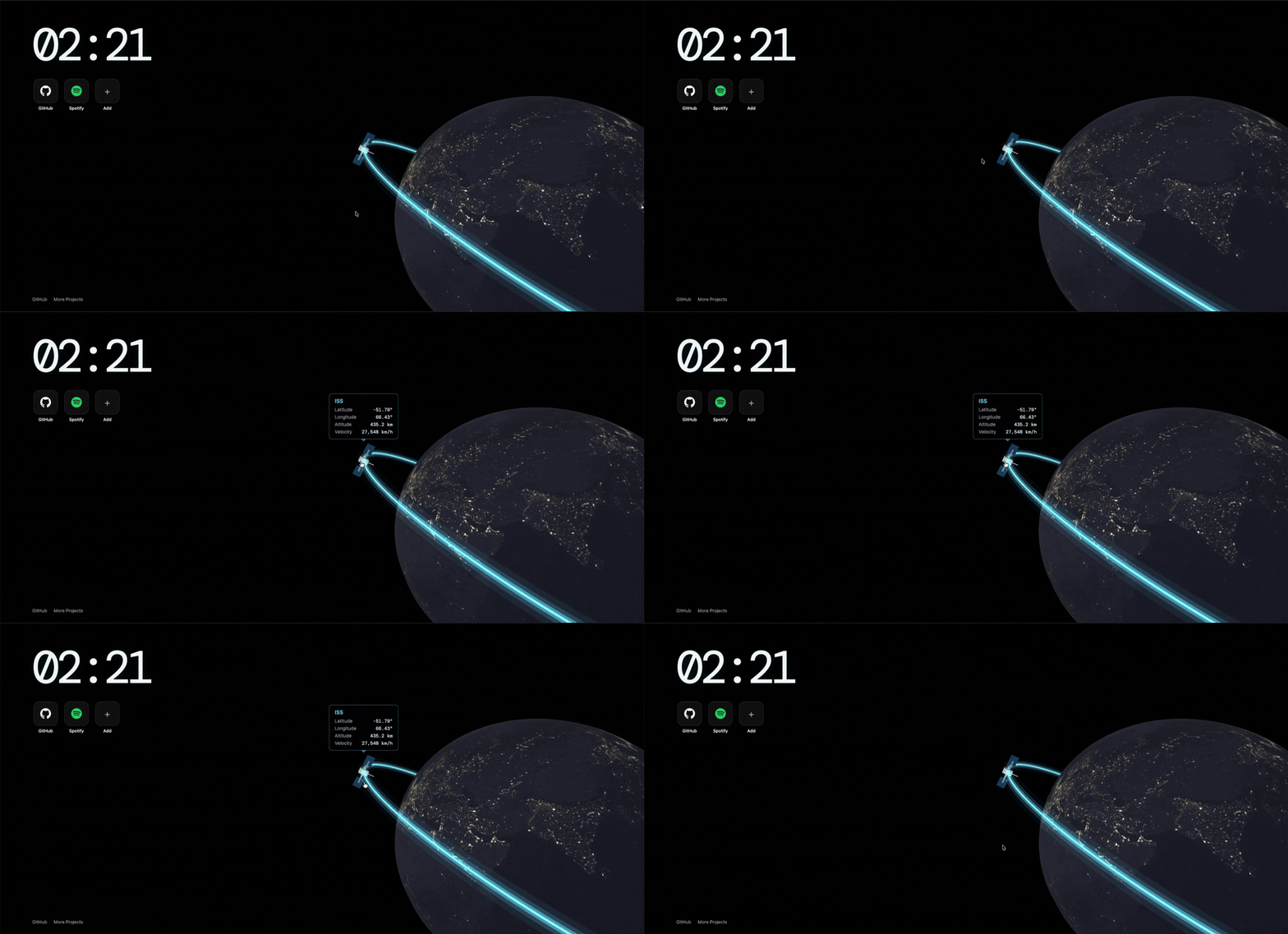
A new tab page for your web browser showing the Earth and the ISS, along with live position details! Powered by Three.js and Vite. Check out a preview here
Installation
- Download
dist.crxfrom the Releases page, or from the root of this repository. - In Chrome, open
chrome://extensions. - Turn on Developer mode using the toggle in the top-right corner.
- Drag
dist.crxonto thechrome://extensionspage and drop it. - Click Add extension when Chrome asks.
- Open a new tab. You should see the Earth, the ISS and the clock.
If Chrome blocks or disables the .crx
On Windows and macOS, Chrome often refuses extensions that aren't from the Chrome Web Store, or installs them already turned off. If that happens, load the extension unpacked instead:
- Make a copy of
dist.crxand rename the copy todist.zip. - Unzip it into a folder. A
.crxis a zip file with an extra header. If your unzip tool complains, try a different one, such as 7-Zip orunzipin a terminal. Alternatively, build the folder yourself (see Development). - In
chrome://extensions, with Developer mode on, click Load unpacked and choose that folder.
When Chrome asks, accept the permissions:
- Favicons: shows each shortcut's icon from Chrome's own favicon cache.
- Read data on
api.wheretheiss.at: fetches the ISS's live position.
Features
- 3D Earth that rotates slowly and switches to the night map (city lights) between 7:00pm and 5:00am.
- ISS on a glowing orbit. Hover over the ISS to see its live latitude, longitude, altitude and velocity, refreshed every 5 seconds.
- Clock in the top-left corner.
- Shortcut tiles under the clock:
- Click + to add a website.
- Right-click a tile to remove it.
- Shortcuts are saved in your browser.
Development
Requirements: Node.js 20 or newer.
npm install
npm run dev     # local dev server at http://localhost:5173
npm run build   # production build into dist/
To test the extension from source:
- Run
npm run build. - In
chrome://extensions, click Load unpacked and select thedistfolder. - After making changes, run
npm run buildagain and click the reload ↻ icon on the extension's card.
Packing a new .crx
- In
chrome://extensions, click Pack extension. - Choose the
distfolder as the extension root directory. - Reuse the same private key (
dist.pem) every time, so the extension keeps the same ID and updates install over the old version.
Keep dist.pem private. It is listed in .gitignore and must never be committed.
Project structure
index.html              Page layout: clock, shortcuts, links, ISS info box
src/main.js             Three.js scene, ISS data, shortcuts logic
src/style.css           Styles
public/manifest.json    Chrome extension manifest (new tab override)
public/textures/        Earth day and night textures
Credits
- ISS position data: Where the ISS at? API
- Earth textures: Solar System Scope
- Built with Three.js and Vite
Made for Stardance | Hackclub 2026